
Assign age groups
Assign view or edit access for groups such as U-10 and U-12. Club administrators manage members and permissions.
Manage session plans, schedules, player lists, attendance and matches with your coaching team. Share everyday preparation and coaching records, and pass them on to the next coach.
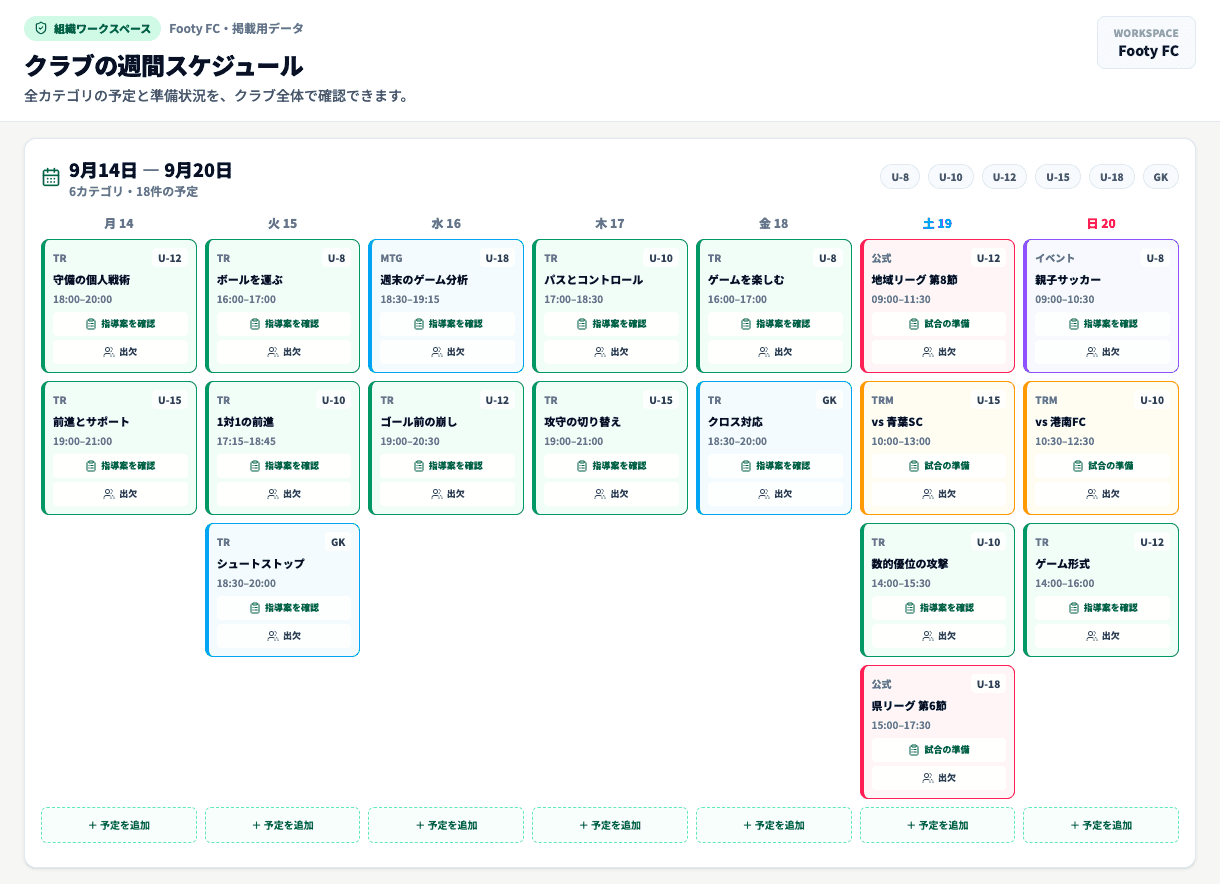
01 / The whole club
See schedules and preparation across all age groups. Administrators oversee the whole club, while coaches focus on their assigned groups.
The foundations
Assign view or edit access for groups such as U-10 and U-12. Club administrators manage members and permissions.
Session plans and records created in the club workspace belong to the club. They remain even when the coach who created them leaves.
Keep your personal workspace while joining multiple clubs. You can also copy a personal session plan into a club workspace.
Assign administration and billing roles separately. Transfer those roles to a successor when responsibilities change.
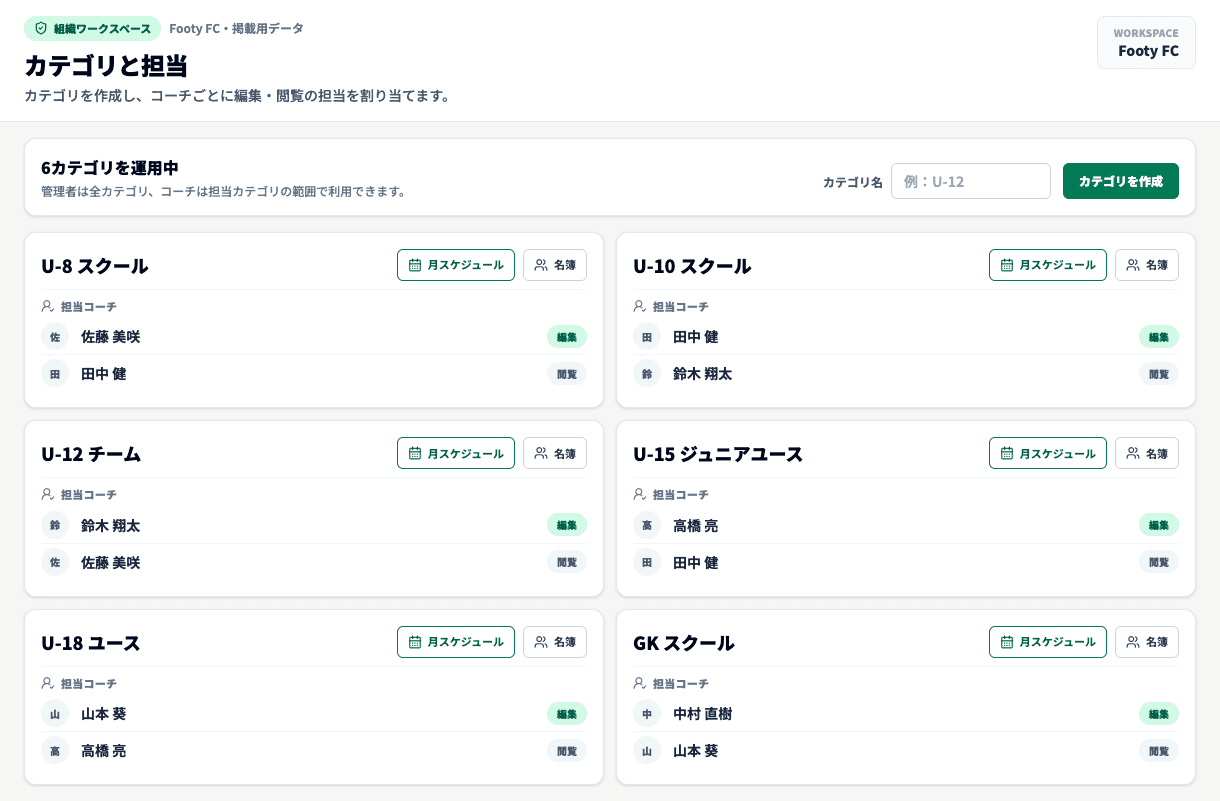
02 / Age groups and coaches
Create age groups such as U-8, U-10, U-12 and U-15 to match your club. Assign each coach view or edit access.
03 / Pass on your records
Keep personal work separate from club records, and copy only the session plans you want to share.
Keep your own session plans
Share only what you need
Connect to schedules and age groups
Preserve the club’s records
04 / Players and participation
Review attendance, reasons for absence and match playing time by month. Use training and match records to inform your next selection and preparation.
Explore participation records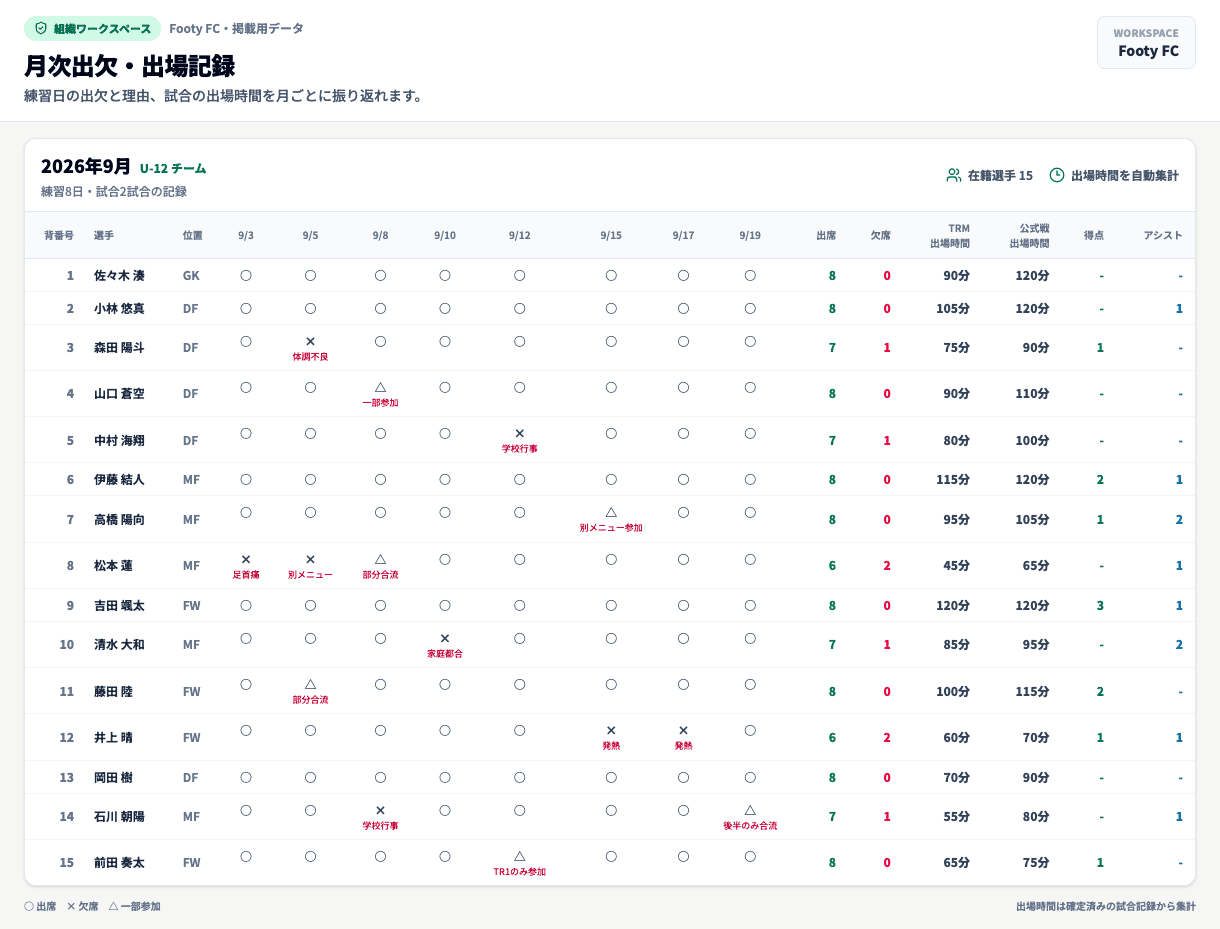
Share session plans and schedules with your club’s coaches. Club plans are separate from personal Pro.
Up to 5 coaches
¥3,300 /month
Annual ¥33,000
Up to 10 coaches
¥5,500 /month
Annual ¥55,000
11 or more coaches
Contact us
Tell us about your club’s size and needs.
Prices include tax. Team 5 and Team 10 include a 30-day trial for first-time subscribers. A payment method is required. Your selected plan is charged after the trial unless you cancel during the trial.
Personal Pro and club plans are separate subscriptions. Shared club management requires a club plan or an active partner benefit.
Footy is currently for coaches and staff. Player and parent accounts, messaging parents and collecting membership fees are not supported.
Data created in the club workspace stays with the club. Administrators and billing contacts must hand over their roles before leaving.
Create an account, then choose a plan and register a payment method on the club creation page. Create your club, invite coaches and assign their age-group permissions.
Explore the screens and see how Footy can work for your club.